Open beta · limited spots
Video editing, as easy as humming.
Write what you want to see, one sentence per part. hum cuts your face cam or your voice, Claude edits the animations.
With your Claude Pro, Max or Ultra plan. We open in waves.
This video was edited by hum, block by block, from these descriptions. Nothing else.
How it works
From your face cam to animation, in four steps.
- 1
Write your script
In hum, or imported from Google Docs. It becomes your teleprompter.
- 2
Film yourself, or just talk
Face cam, voice only, or camera and separate mic: hum syncs the sound. Rather not talk? An all-animation video works too.
- 3
hum cuts your takes
On your face cam as on your voice: the good take stays, the lines you repeated go, and what you added off-script is kept.
- 4
Face cam or animation, block by block
For each block, keep your face cam or describe the animation in one sentence. Claude edits it in motion design, you give feedback.
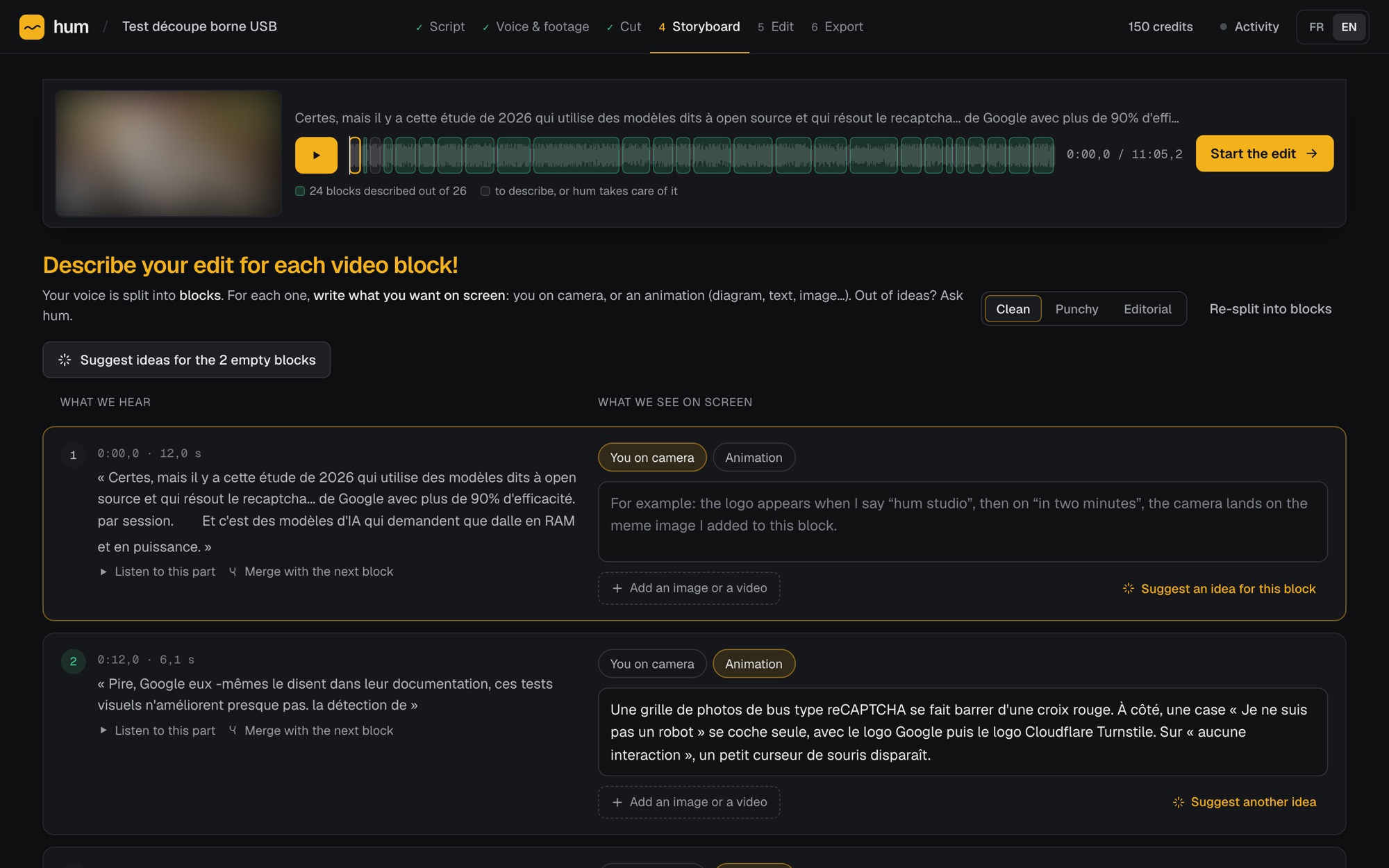
Your takes, already sorted.
Talk without stopping, start over as often as you like. hum compares your voice to the script and keeps only the good parts, on the video as on the sound.
- 18 minutes recorded, 11 kept, 98 pieces dropped: without touching a thing.
- Don't like a take? One key to jump to the next one.
- Fix anything on a real timeline, with the mouse or the keyboard.
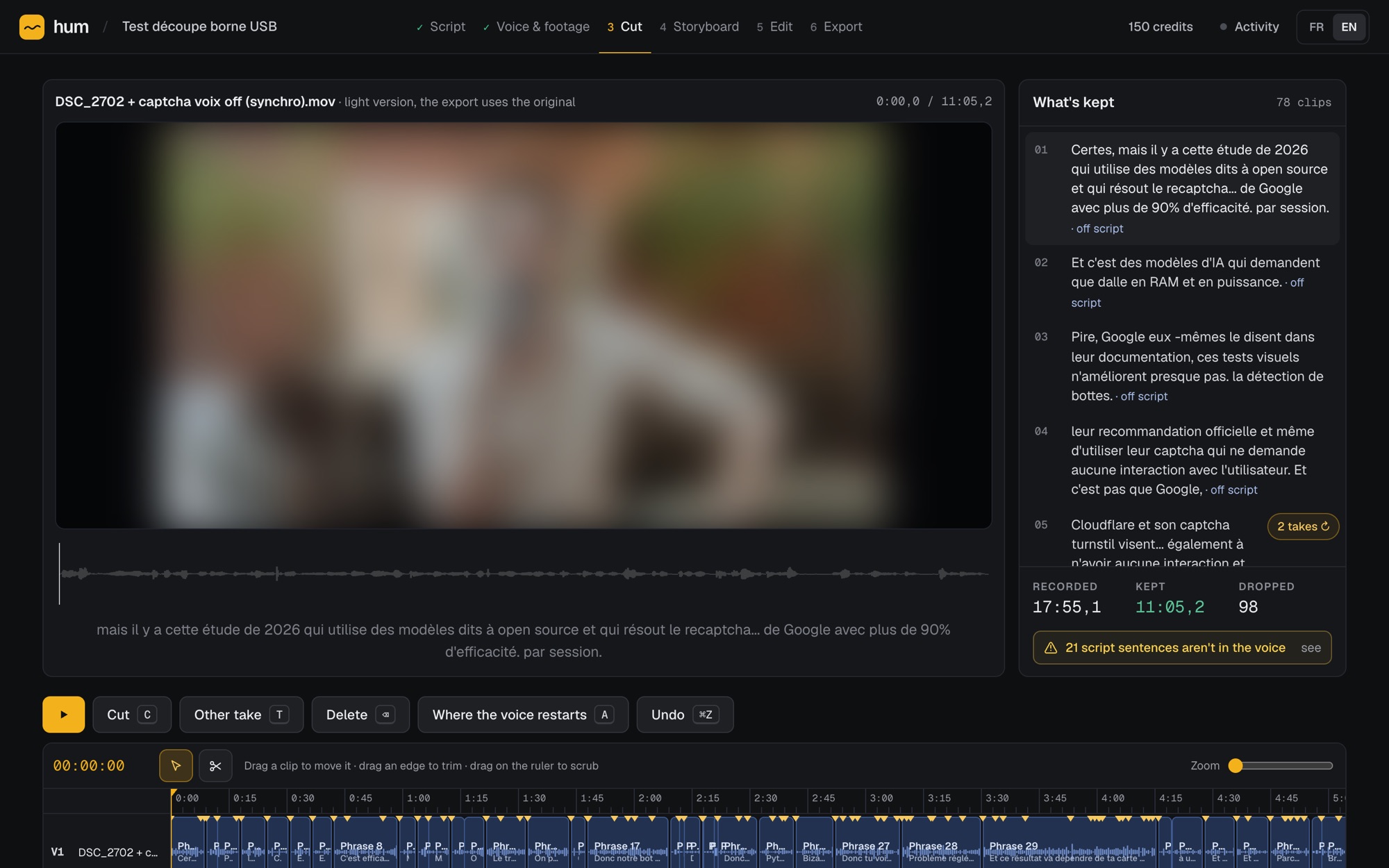
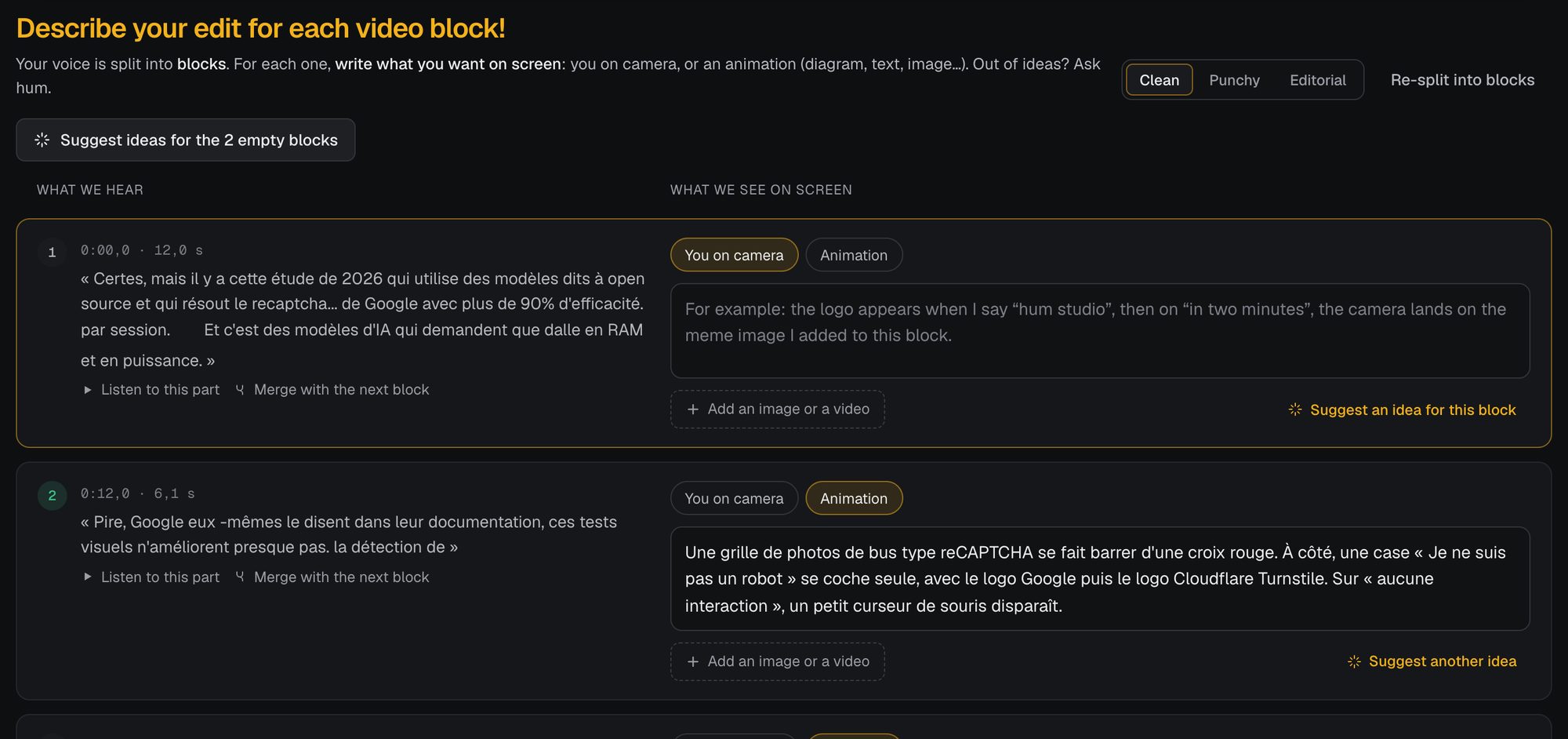
Describe what you want to see. One sentence is enough.
Your voice is split into blocks. For each one, you choose: you on camera, or an animation you describe in your own words.
- Add your images, your videos, your memes: type @ and Claude uses them.
- No idea for a block? hum suggests one.
- Depending on your plan, 1 to 3 Claude agents edit your blocks at the same time.
- Feedback down to the frame. hum learns your style from it, video after video.
Who it's for
For people who already pay an editor, or wish they could.
Creators who post every week
Shorts, Reels, long videos: keep your pace without waiting on an editor, and without back-and-forth messages.
Explainers and news
Tech, science, finance, history: diagrams, animated text, screenshots and memes, timed to every word.
Editors and agencies
hum does the heavy lifting. You get everything back in Premiere and spend your time where it matters.
Pricing
Start for free. Upgrade when you post more.
You pay for minutes of animated video, revisions included. Your face cam doesn't count, and you see the expected length before every edit.
Provisional pricing, it may change before launchFree
To see what hum does with your voice.
€0when you sign up
20 s of video, given once
- The whole flow, editing included
- 1 agent on your video
- 1080p export, no watermark
- 5 GB of storage (footage and assets)
Starter
To post a few videos a week.
€19/ month
+ tax, calculated at checkout
20 min of video per month
- 2 agents on your video
- 1080p export
- 50 GB of storage (footage and assets)
Creator
To post every day.
€49/ month
+ tax, calculated at checkout
90 min of video per month
- Everything in Starter
- 3 agents on your video: the fastest editing
- Ultra mode: the most refined editing
- 150 GB of storage (footage and assets)
- Priority in the queue
Pro
For teams, agencies and 4K.
€99/ month
+ tax, calculated at checkout
180 min of video per month
- Everything in Creator
- 4K export
- 500 GB of storage (footage and assets)
- Top priority in the queue
hum edits your videos with your own Claude account. A paid Claude subscription is required (not included): Claude Pro ($20/month) is enough to try it and for small edits, Claude Max is recommended for regular editing. hum minutes are a maximum: your Claude quota may stop you sooner.
Prices exclude tax; your local VAT or sales tax is added at checkout by Stripe, our merchant of record (converted to your currency outside the euro area). Need more? +20 min for €10 + tax. Minutes refunded if an edit fails. One edit at a time, on every plan.
FAQ
What people ask us most.
Is the quality on par with a real editor?
hum doesn't drop in ready-made templates: each animation is built for your sentence and timed to your words. You see every block before approving it, and redo it if something's off.
And if you want to finish by hand, everything goes to Premiere Pro: your cuts, your blocks and your animations stay editable.
Who owns the video?
You do. Your script, your voice, your footage and the final video are yours, commercial use included: publish it, monetize it, sell it to a client.
hum claims no rights over it and won't use it in its own marketing without asking you.
What happens to my files?
They're used for one thing only: editing your video. hum doesn't use them to train any AI. Since Claude works through your account, what Anthropic does with those exchanges follows the privacy settings of your Claude account.
Your files are stored encrypted. You can delete a project, or your whole account, at any time.
Why a Claude subscription?
Claude edits your video with your own Claude account, which you connect to hum. You need a paid plan (not included): Claude Pro ($20/month) is enough to try it and for small edits, Claude Max is recommended for regular editing.
Does it work in my language?
Almost certainly. hum transcribes and cuts your voice in about a hundred languages (French, Spanish, German, Portuguese, Japanese…), and on-screen text and subtitles follow your video's language. The interface comes in English and French.
Another question? Ask on hum's Discord, or write to hello@hum.studio.
Edit your next video with hum.
We're opening in small waves so we can look after everyone. Sign up: we'll write as soon as it's your turn.